I Made Another RSS Reader... sorta
Some of you who follow me are aware that I published Alcove last month, a privacy centered RSS reader. It follows the patterns of traditional RSS readers: categories, syncing, marking read vs unread, viewing content in-app, etc. One of my readers reached out and was excited about the project, but also expressed some hesitancy with RSS as a whole. Their concern was about how with in-app reading we are missing the original context of the post itself, ie the website. This may not be the case for news sites that are littered with ads, but for the majority of blogs, the website is a sacred place. It's where the author puts themself on a page, expressing their personality, their likes or interests, and other helpful information. A great example is マリウス, where the aesthetic and extra information make it a treasure trove of classic web surfing. If you're subscribed in an RSS reader that renders the content within the app, you miss all of this.
The more I thought about this the more I agreed. It's one of the reasons I'm adamantly opposed to AI web browsers that take away the experience of visiting a curated website. Then my mind wandered to the FreshRSS API Proxy I built a while back to power my feeds page, and I thought "why not give it a face?" That's exactly what I did this weekend, plus a little extra.
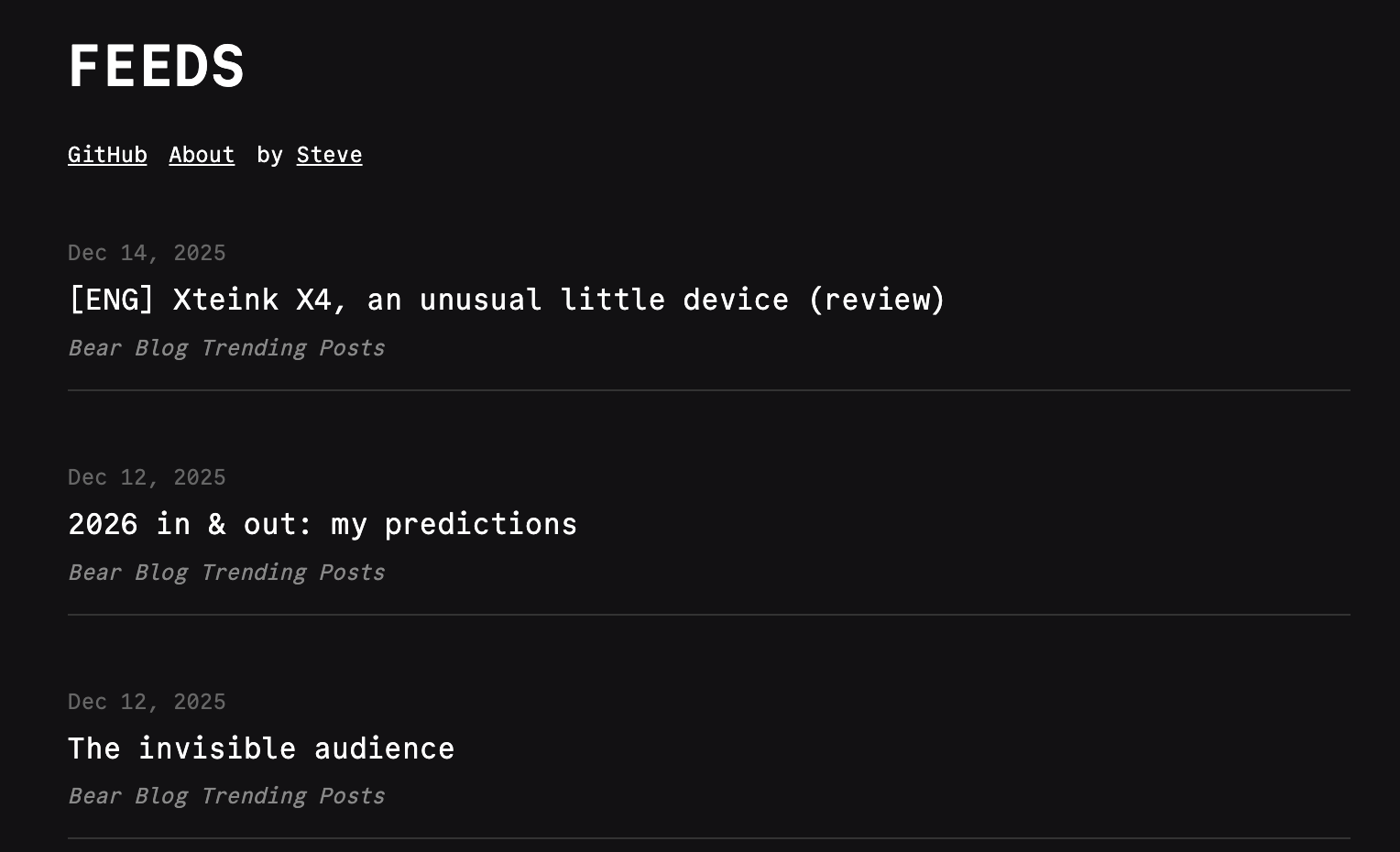
Introducing Feeds. It's a combination of the FreshRSS API proxy and the Sipp code sharing app I also made a while back. Designed to be self-hosted, has simple architecture that runs on Bun, and made to be hacked around with. There is no categories, no marking posts read or unread, and of course no in-app rendering. It's just a list of posts that link out to the original post.
I recognized that not everyone (more like hardly anyone) has their own FreshRSS instance running, so I setup Feeds to work with multiple source options. To make this happen I built the core RSS parsing logic to accept an array of feed URLs, for example:
const items = await parse([
  "https://bearblog.dev/discover/feed/",
  "https://www.nasa.gov/feeds/iotd-feed/"
])
By taking this approach Feeds can source feeds with the following methods:
URL Queries
You can add on ?urls= query to contain comma separated URLs of RSS or Atom feed and the app will automatically source them into a merged list of links. Check out this one that merges NASAs Image of the Day and their News Release feed.
https://feeds.software?urls=https://www.nasa.gov/feeds/iotd-feed,https://www.nasa.gov/news-release/feed
This makes it pretty easy for anyone to grab the link and start using it. Make it a bookmark and you have a pretty straight forward reader!
OPML File
If you are self-hosting Feeds you can add a feeds.opml file to the root of the project and the app will automatically read it and render the articles from the feeds inside.
Hard Coding
You can also simply edit the index.html file and hard code in a list of feeds. You'll see some comments in the code in the <script> section that will show you the way!
FreshRSS Instance
If the first two options are not available Feeds will fallback to a FreshRSS instance. Simply cp .env.sample .env and fill in the environment variables.
FRESHRSS_URL=
FRESHRSS_USERNAME=
FRESHRSS_PASSWORD=
Feeds is MIT open sourced for you to do what you want with it. I found this to be a valuable little tool for my own personal use, and I hope others might find it useful as well.
As always, keep the web open.